|
KudanAR - Android
|
|
KudanAR - Android
|
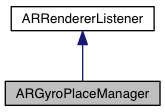
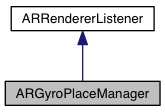
 Inheritance diagram for ARGyroPlaceManager: Collaboration diagram for ARGyroPlaceManager:
Public Member Functions | |
| void | initialise () |
| void | deinitialise () |
| void | preRender () |
| float | getFloorDepth () |
| void | setFloorDepth (float floorDepth) |
| ARNode | getWorld () |
| void | postRender () |
| void | rendererDidPause () |
| void | rendererDidResume () |
Static Public Member Functions | |
| static ARGyroPlaceManager | getInstance () |
ARGyroPlaceManager is a sensor-only tracker that places content on a virtual floor plane where the device is aimed. Used predominantly when positioning nodes for markerless tracking.
|
inline |
Deinitialise the ARGyroPlaceManager.
|
inline |
The distance between the floor and the camera. The units are arbitrary but can have real-world meaning to achieve realistic scale for placed content. Eg. if you estimate the device to be 100cm above the floor, set floorDepth to -100. Content rendered using this same space will look approximately the correct scale. The default value is -150;
|
inlinestatic |
Return the ARGyroPlaceManager singleton.
|
inline |
Returns the world node that is controlled by this tracker. The world is placed where the camera normal intersects the floor plane.
|
inline |
Initialise the ARGyroPlaceManager. Sometimes, while the manager first initialises, the device's gyroscope will report incorrect values, causing the orientation of the target node to appear incorrect. This will correct itself after a number of frames.
|
inline |
Method called just after rendering each frame.
Implements ARRendererListener.
|
inline |
ARRendererListener interface method called before each frame is rendered and updates the ARGyroPlaceMangers world.
Implements ARRendererListener.
|
inline |
Method called when the renderer has been paused. This can be used to shut down other subsystems.
Implements ARRendererListener.
|
inline |
Method called when the renderer resumes after being paused.
Implements ARRendererListener.
|
inline |
Sets the distance between the floor and the camera. The units are arbitrary but can have real-world meaning to achieve realistic scale for placed content. Eg. if you estimate the device to be 100cm above the floor, set floorDepth to -100. Content rendered using this same space will look approximately the correct scale. The default value is -150;
| floorDepth | Floor depths units are arbitrary. |
 1.8.11