|
KudanAR - Android
|
|
KudanAR - Android
|
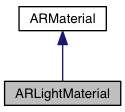
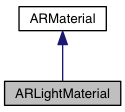
 Inheritance diagram for ARLightMaterial: Collaboration diagram for ARLightMaterial:
Public Member Functions | |
| ARLightMaterial () | |
| void | setColour (float r, float g, float b) |
| Vector3f | getColour () |
| void | setDiffuse (float r, float g, float b) |
| Vector3f | getDiffuse () |
| void | setAmbient (float r, float g, float b) |
| Vector3f | getAmbient () |
| void | setSpecular (float r, float g, float b) |
| Vector3f | getSpecular () |
| void | setShininess (float shininess) |
| float | getShininess () |
| float | getAlpha () |
| void | setAlpha (float alpha) |
| void | setReflectivity (float reflectivity) |
| float | getReflectivity () |
| void | setTexture (ARTexture2D texture) |
| void | setCubeTexture (ARTexture3D cubeTexture) |
| boolean | prepareRendererWithNode (ARNode node) |
| Public Member Functions inherited from ARMaterial | |
| boolean | getTransparent () |
| void | setTransparent (boolean transparent) |
| boolean | getDepthOnly () |
| void | setDepthOnly (boolean depthOnly) |
| void | setDepthWrite (boolean depthWrite) |
| boolean | getDepthWrite () |
| void | setDepthTest (boolean depthTest) |
| boolean | getDepthTest () |
| boolean | prepareRendererWithNode (ARNode node) |
| void | setName (String name) |
| String | getName () |
An ARLightMaterial is a material for shading using dynamic lighting. This is most commonly used with 3D models.
Example of use:
ARLightMaterial lightMaterial = new ARLightMaterial();
lightMaterial.setColour(0.882, 0.125, 0.250);
lightMaterial.setDiffuse(0.3, 0.4, 0.5);
lightMaterial.setAmbient(0.2, 0.2, 0.2);
|
inline |
Initialise an empty ARLightMaterial.
|
inline |
Returns the transparancy of this material. 1.0f for fully opaque objetcs. 0.0f for fully transparent objects.
|
inline |
Returns the ambient component of lighting applied to this material. Represents a solid colour unaffected by other lighting in the scene.
Example of use:
Vector3f materialAmbient = lightMaterial.getAmbient();
|
inline |
Returns the base colour of the material represented as RGB values in the 0..1 range stored in a Vector3f. If there is a texture set on this material then the colour will not be used.
|
inline |
Sets the diffuse component of lighting applied to this material. The lighting on the surface decreases as the angle between it and the light decreases. The lighting depends only on this angle, and does not change as objects move around.
Example of use:
Vector3f materialDiffuse = lightMaterial.getDiffuse();
|
inline |
Returns the reflectivity of this material. 0.0 is no reflectivity. 1.0 is full reflectivity.
|
inline |
Returns the shininess factor that affects the amount of specular light reflected by this material. Higher values result in a smaller and brighter specular highlight, while low values have a larger but less bright highlight. Ranges from 1..100.
|
inline |
Returns the specular component of lighting applied to this material. A specular highlight is dependent on the surface angle, light angle, and viewing angle. The highlight is actually just a real-time suitable way to simulate blurred reflections of a light source. The level of blur for the highlight is controlled with the shininess property. Represents the reflection of light at the reflection angle from an incident light source.
|
inline |
Prepares renderer to draw material.
| node | The node attached to the material. |
|
inline |
Sets the alpha value of an ARLightMaterial.
| alpha |
|
inline |
Sets the colour of the ambient lighting using R, G, B floats.
| r | Red value. |
| g | Green value. |
| b | Blue value. |
|
inline |
Sets the base colour of the material using RGB values in the 0..1 range.
Example of use:
lightMaterial.setColour(0.882f, 0.125f, 0.250f);
| r | The red component of the colour. |
| g | The green component of the colour. |
| b | The blue component of the colour. |
|
inline |
Sets the environment map for this material. The environment map is a texture cube that simulates the environment surrounding the material. It must be assigned a cube map for reflection to occur.
| cubeTexture | The environment map to be used for reflectivity. |
|
inline |
Sets the colour of the diffuse lighting using R, G, B floats.
| r | |
| g | |
| b |
|
inline |
Set the reflectivity of a material. This determines how much of the environment cube is reflected off the material.
| reflectivity |
|
inline |
Sets the shininess of an ARLightMaterial.
| shininess |
|
inline |
Sets the colour of the specular lighting using R,G,B floats.
| r | Red value. |
| g | Green value. |
| b | Blue value. |
|
inline |
Sets the texture of an ARLightMaterial.
| texture |
 1.8.11