

 |
|
|
 |
 |
 |
|
Document Contribution and Review
MadCap Contributor makes it simple and easy for anyone in your organization to review and contribute content to your documentation. Subject matter experts and content contributors outside the document management team can edit and review topics, make annotations, and update content with a simple, easy-to-use interface. Tight integration with Flare makes MadCap Contributor an essential tool in the contribution and review process.
"SMEs can pop in and out of the documentation task without having to set aside swathes of time, and the content they produce can be integrated much faster. "My colleague handles the operations manual, and at times has up to 10 contributing authors using the Contributor template. Even then everything looks consistent, and that's important because we put a priority on standards."
Alex Johnson | Fitness First Group
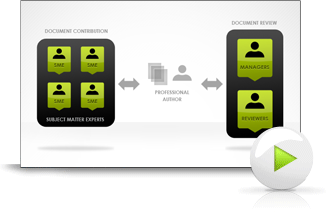
MadCap Contributor Workflow
View this recorded webinar to see how you can significantly expand your authoring and review process. This webinar will demonstrate sending content from Flare to MadCap Contributor for edit and review as well as how SMEs can create new content using MadCap Contributor.
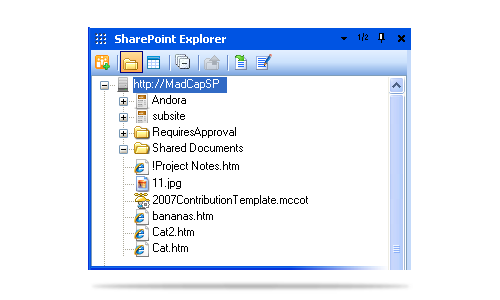
Content Management
Access, edit and update files directly from the SharePoint server for streamlined
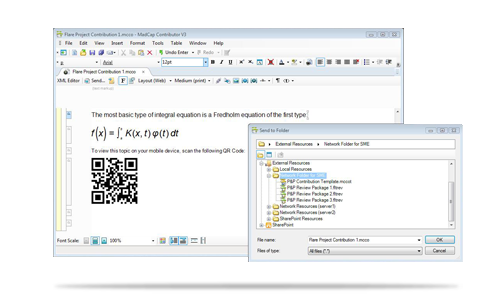
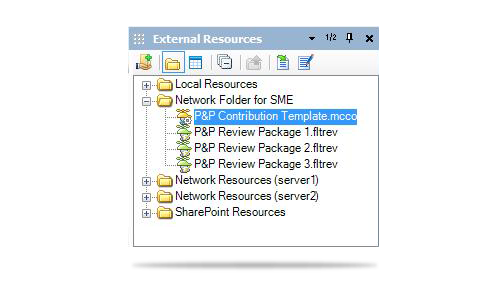
content contribution and review. For those not utilizing content management systems, the new External Resources feature
lets you access files (content topics, images, etc.) stored on any accessible network.
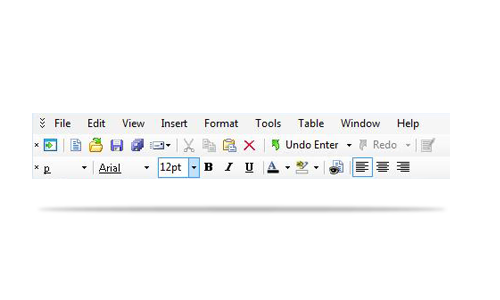
Ease of Use
Allow your subject matter experts and casual content contributors to add content
quickly and easily without the need for any technical knowledge of professional
authoring and without using Flare.
Defined Guidelines
Allow SMEs and managers to review your content and/or contribute to your authoring
projects using pre-defined Flare templates, allowing them to focus on content without
messing with your formatting or project styles.
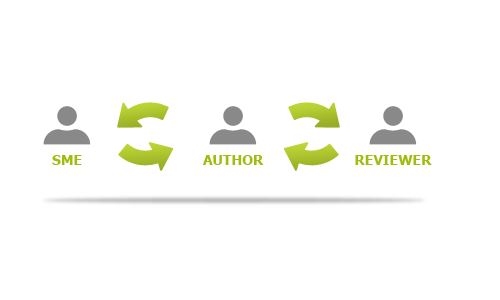
Content Contribution and Review by Anyone in the Organization
By using MadCap Contributor, authors can send content out for review without the need to make troublesome conversions from other file formats such as PDF and Word documents.

- Easily review, edit or create content for Flare publishing
- Use existing styles for a consistent corporate look, without a need to edit styles
- In addition to native Flare format support, PDF and XPS documents can also be generated
- Integration with MadCap Lingo for easy translation
Streamlined Workflow and Track Changes
Send reviewed, revised, or annotated content back and forth with managers and SMEs via Outlook, SharePoint or External Resources — all while
enjoying the new Track Changes feature with Flare.
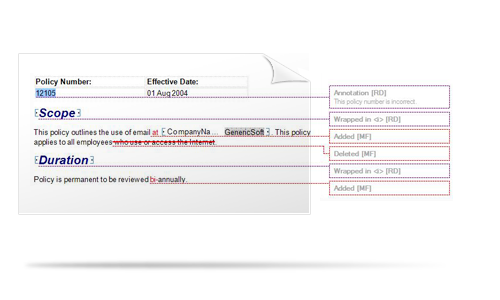
Advanced track changes in MadCap Contributor help manage the editing and review process:
- Automatically enabled when reviewers open topics in MadCap Contributor
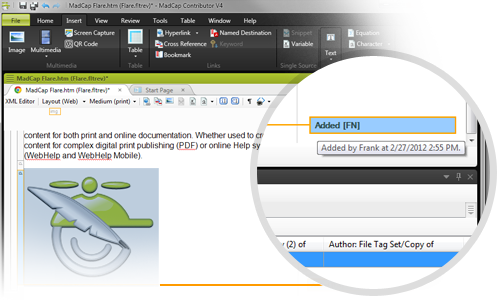
- Authors can track changes made to content files and accept or reject those alterations individually. Each change is marked in a color (different colors for different users) and/or labeled in a sidebar.
- All changes made to a document are tracked, along with the user who performed the change.
- All content remains in the document until the change is either accepted or rejected.
- Author not limited to accepting the entire returned document only; right-click on tracked changes and accept or reject changes individually.
- From within Flare, content can be locked to prevent any unintended edits to content.
- Add annotations to content requiring additional clarification, reviews, etc.
Consistency and Flexibility
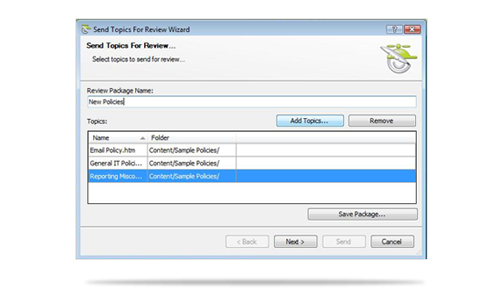
Send single topics or multiple topics out to reviewers and contributors for flexible content creation and development.
Avoid the hassle of converting content from Word and other formats to ensure consistency throughout your documentation contribution and review process.
Free Review for Managers and Subject Matter Experts
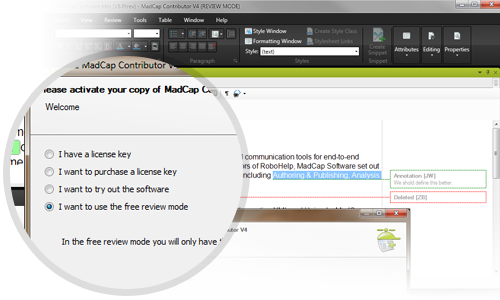
Now your managers and subject matter experts can enjoy free review using annotation.
Note: The trial version of MadCap Contributor includes a non-expiring, free review with annotation mode, allowing for perpetual review between SME, managers and Flare authors.
Free Review and Workflow Improvements
Flare:
- Review packages can be opened in Flare for review
- See changes and annotations sent from the author – author can send tracked changes and annotations to reviewers without having to resolve them first
MadCap Contributor:
- Free review mode using annotations
- Use track changes in other Contributor file types, not just review files and packages
- See changes and annotations sent from the author
Add Images and Other Multimedia to Review Topics
Give your review team additional editing capabilities with the ability to insert multimedia elements, such as images and equations, into your review topics in MadCap Contributor.
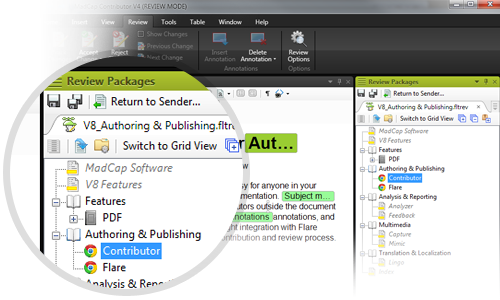
Review Packages in TOC View
Review packages can now be sent from Flare’s TOC using the TOC View, allowing reviewers to see review candidates in context of the entire project and TOC.
Sleek New UI
A new user interface has been completely redesigned for enhanced contribution, review and ease of use, featuring ribbons, a Quick Access Toolbar, and more.
New Ribbon UI Features
- Multiple interface themes (including classic non-ribbon)
- Quick Access Toolbar for personalized buttons
- Keyboard shortcuts for any menu function
- Vastly improved usability and authoring efficiency
- Improved floating and docking for multiple documents and windows
New Subscription, Multi-user Perpetual and Floating/Enterprise Licensing Options
New licensing options mean greater flexibility to fit the unique needs of your organization. With subscription licensing, you can significantly reduce the contribution and review workflows of authoring for as little as $7 per month per user.
|
 |
|
 |