LightningChart SDK は、v7.1 以降 SurfaceGrid と SurfaceMesh 系列で値をベースとした色と勾配の追加機能を備えています。今回は、SurfaceMeshSeries3D を使用して、温度などのデータを表示するジオメトリ パイプの作成方法を紹介します。
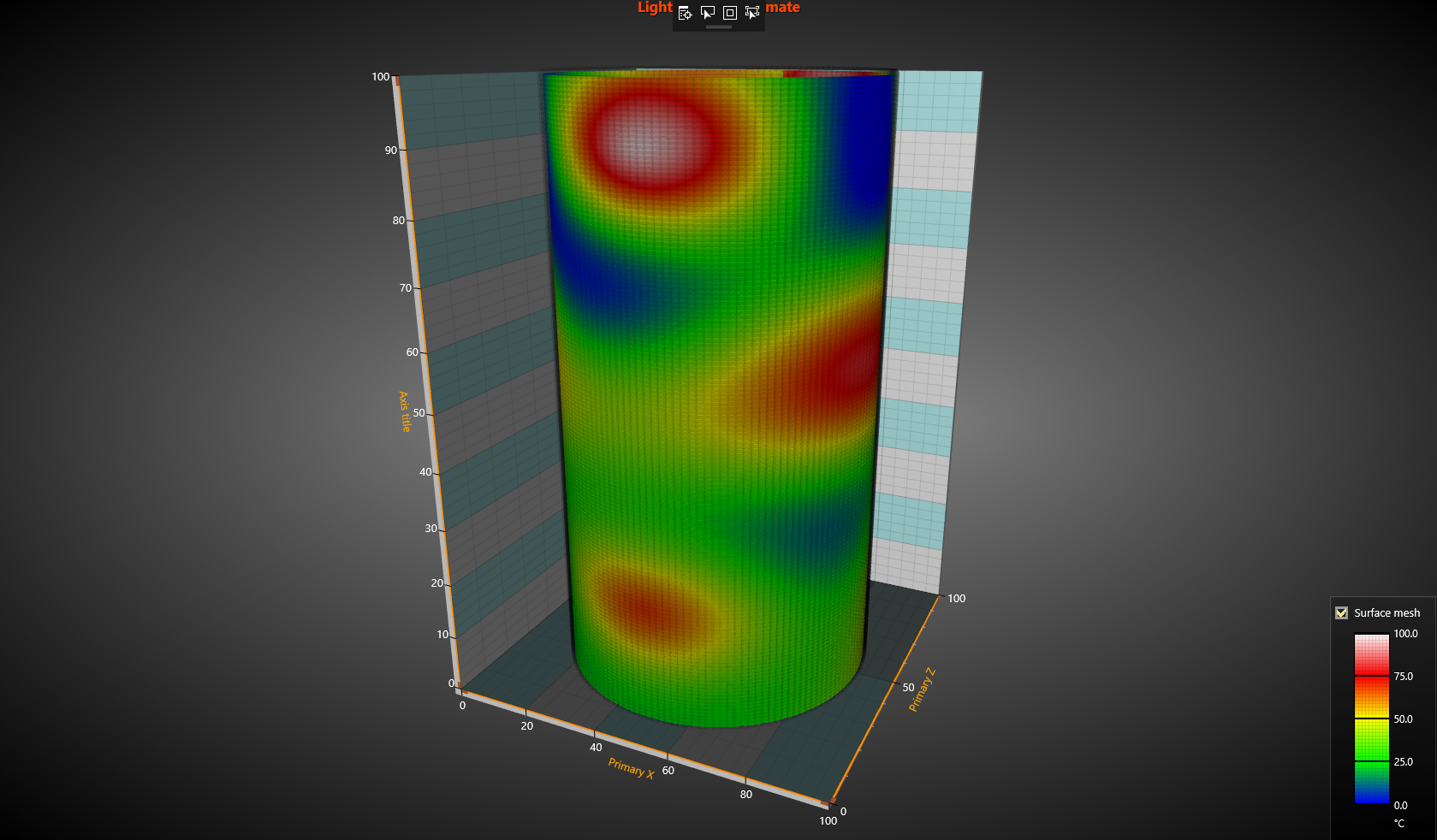
このチュートリアルでは、セミバインド可の WPF プロジェクトと WinForms プロジェクトで、値による 3D サーフェス メッシュ パイプの色付けと勾配を設定する方法を紹介します。
- 3D サーフェス メッシュの色付けと勾配を設定するためのソース コードは、下記のボタンからダウンロードできます。
作成手順
新規の WPF プロジェクトを作成します。
※ 今回のアプリ開発では、セミバインド可の LightningChart SDK を使用します。空のウィンドウに、グリッドのみを追加します。
<Window x:Class="WpfApplication1.MainWindow"
        xmlns="http://schemas.microsoft.com/winfx/2006/xaml/presentation"
        xmlns:x="http://schemas.microsoft.com/winfx/2006/xaml"
        Title="MainWindow" Height="350" Width="525">
    <Grid Name="gridMain">

    </Grid>
</Window >
コード エディターで using 構文を追加します。
// Arction の using 構文を追加
using Arction.Wpf.SemibindableCharting.Axes;
using Arction.Wpf.SemibindableCharting;
using Arction.Wpf.SemibindableCharting.Views;
using Arction.Wpf.SemibindableCharting.Views.View3D;
using Arction.Wpf.SemibindableCharting.Series3D;
PolygonSeries3D を使用して、チャートを作成します。
/// <summary>
/// マンハッタン プロットのスタック チャートを作成
/// </summary>
public partial class MainWindow : Window
{

    private LightningChartUltimate _chart;
    private List _listBars = new List();


    private const int ColCount = 20;
    private const int RowCount = 15;
    private const int StackCount = 4;

    public MainWindow()
    {
        InitializeComponent();
        CreateBarData();
        CreateChart();
    }
}
マンハッタン プロットで使用される棒グラフのデータを作成します。
void CreateBarData()
{

    // 棒グラフのデータを作成
    Random rand = new Random();

    for (int colIndex = 0; colIndex < ColCount; colIndex++)
    {
        for (int rowIndex = 0; rowIndex < RowCount; rowIndex++)
        {
            for (int stackIndex = 0; stackIndex < StackCount; stackIndex++)
            {
                Bar bar = new Bar(colIndex, rowIndex, stackIndex, 5 + rand.Next(0, 10));
                 _listBars.Add(bar);
            }
        }
     }

}


void CreateChart()
{

    _chart = new LightningChartUltimate();
    _chart.ActiveView = ActiveView.View3D;

    View3D v = _chart.View3D;
    const double MinX = 0;
    const double StepX = 10;
    const double MinZ = 0;
    const double StepZ = 10;
    const double SizeX = 3;
    const double SizeZ = 3;

    v.Lights = View3D.CreateDefaultLights();


    foreach(Bar bar in _listBars)
    {
        double x = MinX + bar.ColumnIndex * StepX;
        double z = MinZ + bar.RowIndex * StepZ;
        Color c = DefaultColors.SeriesWpf[bar.StackIndex % DefaultColors.SeriesWpf.Length];
        double yMin,yMax;
        SolveYMinMax(bar, out yMin, out yMax);
        CreatePolygon3D(x, z, yMin, yMax, c, SizeX, SizeZ);

    }

    v.XAxisPrimary3D.SetRange(MinX-StepX, MinX + ColCount * StepX);
    v.YAxisPrimary3D.SetRange(0, 100);
    v.ZAxisPrimary3D.SetRange(MinZ-StepZ, MinZ + RowCount * StepZ);

    gridMain.Children.Add(_chart);
}


Polygon3D CreatePolygon3D(double xCenter, double zCenter, double yMin, double yMax, Color color, double sizeX, double sizeZ)
{

    Polygon3D polygon = new Polygon3D(_chart.View3D, Axis3DBinding.Primary, Axis3DBinding.Primary, Axis3DBinding.Primary);
    polygon.Material.DiffuseColor = color;

    polygon.Points = new Polygon3DPoint[] {
        new Polygon3DPoint(xCenter - sizeX/2.0, zCenter - sizeZ/2.0),
        new Polygon3DPoint(xCenter - sizeX/2.0, zCenter + sizeZ/2.0),
        new Polygon3DPoint(xCenter + sizeX/2.0, zCenter + sizeZ/2.0),
         new Polygon3DPoint(xCenter + sizeX/2.0, zCenter - sizeZ/2.0)};
    polygon.YMin = yMin;
    polygon.YMax = yMax;

    _chart.View3D.Polygons.Add(polygon);
    return polygon;
}
同じ列と行インデックスを持ち、スタック インデックスが指定の値より低い棒グラフを探し、その後、棒グラフの底を計算します。
void SolveYMinMax(Bar bar, out double yMin, out double yMax) { yMin = 0; yMax = 0; IEnumerable barsWithSamePosition = _listBars.Where(b => b.ColumnIndex == bar.ColumnIndex && b.RowIndex == bar.RowIndex && b.StackIndex < bar.StackIndex ); double sum = barsWithSamePosition.Sum(b => b.Value); yMin = sum; yMax = sum + bar.Value; } } public class Bar { public int RowIndex; public int ColumnIndex; public int StackIndex; public int Value; public int Bar(int columnIndex, int rowIndex, int stackIndex, double value) { RowIndex = rowIndex; ColumnIndex = columnIndex; StackIndex = stackIndex; Value = value; } }- アプリケーションをビルドおよび実行します。
